|
Stay Alert – Don't Tap "Approve" On Surprise Login Prompts

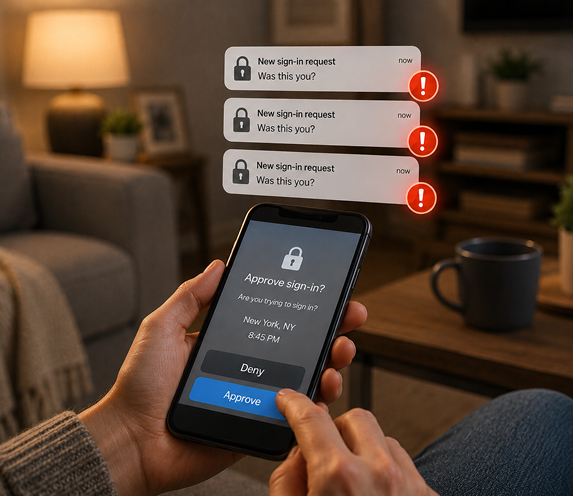 Two-factor authentication adds an important layer of protection to your online accounts. But scammers have found a way to try to turn that protection against you.
It's called an MFA fatigue attack. MFA stands for multi-factor authentication — the extra code, prompt, or approval request used when you sign in.
Here's how it works: A criminal gets hold of your password, often from an old data breach or a fake login page. They then repeatedly try to sign in to your account. Your phone starts receiving pop-up notifications asking, "Was this you?" or "Approve sign-in?"
The goal is to wear you down. After enough alerts, you might tap "Approve" just to make them stop. Once you do, the scammer may be inside your account.
Protect yourself with these steps:
- Never approve a login request you didn't initiate. Even if you receive several prompts in a row, tap "Deny" or "No." Do not approve one to silence the alerts.
- Change your password right away. If you get an unexpected sign-in prompt, use a different device if possible and create a new, strong password for that account. Don't reuse it anywhere else.
- Turn on number matching when available. Some apps display a number on the sign-in screen that you must enter on your phone. This makes it much harder for scammers to trick you into approving access.
- Consider using passkeys. Passkeys let you sign in with your fingerprint, face recognition, or device PIN (Personal Identification Number) instead of a password. Many major email, shopping, and financial sites now offer them.
- Review recent account activity. Look for unfamiliar devices, locations, messages, purchases, or account changes. Sign out of devices you don't recognize.
An unexpected approval prompt is not a minor annoyance. It's a warning sign. When in doubt, deny it out.
©2026 Cornerstone Group
Trademarks: All brand names and product names used in here are
trade names, service marks, trademarks or registered trademarks of their
respective owners.
Privacy Policy
|
|